
Generate Cute Drawing Ideas
Get adorable, charming drawing prompts — kawaii animals, cute food, friendly characters, and cozy scenes — perfect for beginners, kids, journal spreads, or anyone who loves cute art.
Tap Surprise Me to flip through more
No any inspirations yet — try another vibe.
Stuck wondering what to draw next? DrawSpark's AI instantly suggests specific, visual drawing ideas based on your mood, style, and skill level — never vague, always actionable.
DrawSpark is a free, AI-powered drawing ideas generator built for the moment you stare at a blank page and ask "what should I draw?" Instead of vague answers like "draw anything you want," DrawSpark's AI creates specific, visual ideas with a subject, style, mood, and difficulty — so you always have somewhere to start. The generator covers every major category: cute animals, cool characters, easy doodles, aesthetic landscapes, tattoo designs, anime, fantasy creatures, food art, and more. Each idea comes with highlighted keywords showing exactly what you'll draw, so you can pick the one that excites you and start sketching immediately. DrawSpark also maintains a public gallery of community-generated ideas you can filter by subject, style, and difficulty. Whether you're a beginner who wants simple shapes or an experienced artist chasing fresh concepts, DrawSpark keeps your sketchbook full and your creativity flowing.
Type what you're feeling or what you want to draw — or leave it blank for a random surprise. DrawSpark's AI understands natural language: "something cute and simple," "a dark character," "easy flowers," or just "anything."
DrawSpark instantly generates 5 unique ideas, each with a title, description, subject, style, difficulty, and time estimate. No more vague prompts like "draw an animal" — every idea is visual and actionable.
Browse the 5 ideas, find the one that excites you, and start sketching. Like your favorites, save them to My Inspirations, or share them with friends. Generate again any time for a fresh batch.
DrawSpark's what should i draw generator adapts to whatever kind of sketching session you're in the mood for, from quick cute doodles to focused subject studies and detailed character work.
Get adorable, charming drawing prompts — kawaii animals, cute food, friendly characters, and cozy scenes — perfect for beginners, kids, journal spreads, or anyone who loves cute art.

Find cool drawing ideas — edgy characters, urban art, dark themes, anime-inspired designs, and trippy concepts — great for pushing your skills and building an eye-catching portfolio.
Filter by easy difficulty to get beginner-friendly drawing ideas — simple shapes, basic subjects, achievable compositions — that build confidence and fill your sketchbook without frustration.
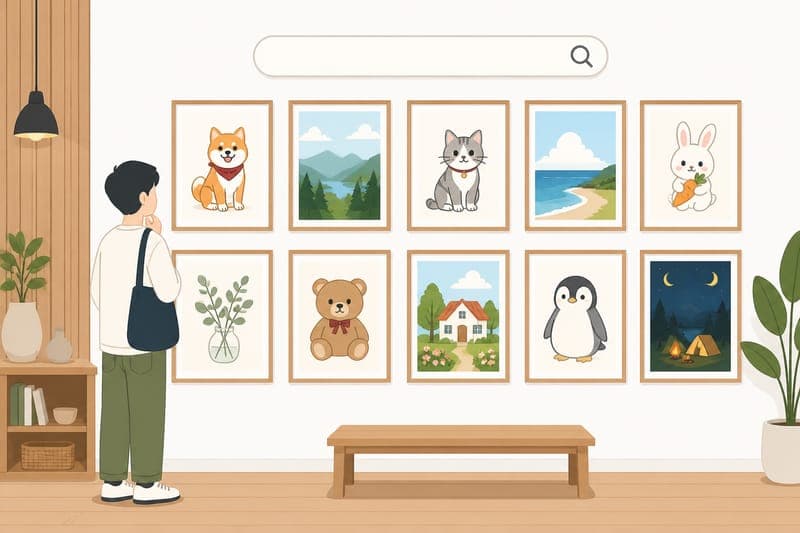
Explore thousands of community-generated drawing ideas. Filter by subject, style, mood, or difficulty to discover prompts you wouldn't have thought to ask for yourself.

Whether you draw every day or once a month, DrawSpark answers "what should I draw?" with ideas matched to your skill level, mood, and available time — keeping your creative habit alive.
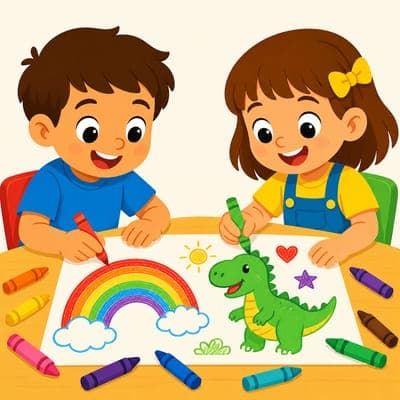
New to drawing or learning the basics? DrawSpark's easy and beginner-friendly prompts remove the guesswork, giving you clear, achievable ideas that build skills one sketch at a time.
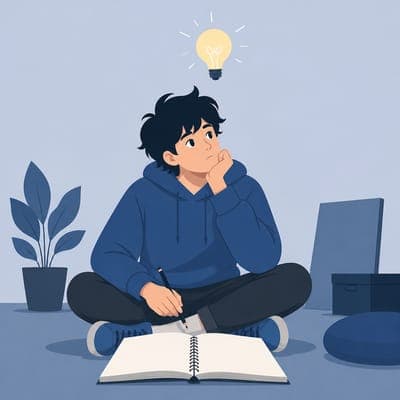
Even pros hit creative block. DrawSpark's diverse, specific prompts help illustrators break through ruts, explore new subjects and styles, and discover fresh concepts for client work or personal series.
DrawSpark never gives vague answers. Every idea includes a title, description, subject, style, mood, and difficulty — so you know exactly what you're drawing before you put pencil to paper.
Generate up to 30 fresh batches of ideas per day, completely free. No login required, no hidden fees, no expiration. Just endless answers to "what should I draw?" on demand.
Cute, cool, aesthetic, dark, dreamy, minimal, detailed, trippy — DrawSpark generates ideas across every major drawing style. Filter to your favorite or let the AI surprise you.
4.9 · From 1127 Reviews

I asked 'what should I draw' on Google every week for years before finding DrawSpark. Now I just open the app, click generate, and have 5 fresh ideas in seconds. The variety is incredible — I haven't seen the same idea twice in months.

I was about to give up my daily drawing habit because I kept running out of ideas. DrawSpark fixed that instantly. Every morning I generate 5 new ideas, pick one, and draw. I've sketched more in the last month than the previous year combined.

I teach high school art and DrawSpark is now part of every class. When students ask 'what should I draw?' I tell them to open DrawSpark and pick from the 5 ideas. The variety matches every student's interest and skill level.

I've paid for drawing prompt apps before and they were all disappointing. DrawSpark is free and actually better — the AI generates ideas I'd never have thought of myself. My only complaint is I didn't find it sooner.
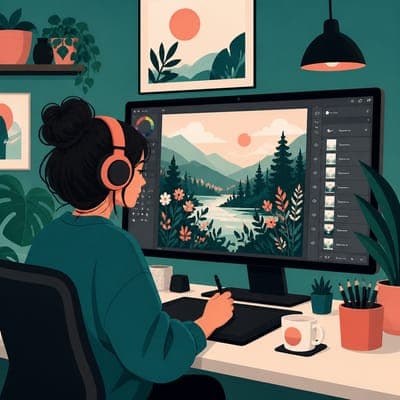
Most AI generators spit out generic ideas. DrawSpark's ideas feel curated — specific subjects, real styles, achievable compositions. It's clear someone who actually draws designed the system.

Whenever I'm stuck and ask myself 'what should I draw?' I open DrawSpark. Within seconds I have a fresh idea I'm excited about. The mood filter is especially good — sad days get dreamy prompts, energetic days get cool character designs.
When you have no ideas, DrawSpark is the fastest answer. Just open the generator and click — you'll get 5 fresh, specific drawing ideas in under 3 seconds. Filter by mood, style, or difficulty if you want even more tailored suggestions.
Yes, DrawSpark is 100% free with no login or payment required. You can generate up to 30 batches of ideas per day, each containing 5 unique prompts. That's 150 new drawing ideas every day at zero cost.
No account is needed to generate ideas. If you want to save favorites or revisit past ideas, you can optionally create a free account, but the generator works perfectly without one.
DrawSpark generates ideas across every category: cute animals, cool characters, easy doodles, aesthetic landscapes, anime, fantasy creatures, food, flowers, tattoos, people, nature, architecture, and abstract concepts. Every batch has variety.
Yes — DrawSpark supports style filters including cute, cool, sketch, simple, aesthetic, kawaii, cartoon, dark, doodle, minimalist, realistic, abstract, vintage, graffiti, and trippy. Mix and match to find your perfect prompt.
Absolutely. Filter by subject like animals, people, nature, holiday, flowers, dragons, tattoos, anime, abstract, landscape, architecture, food, cars, or fantasy. The generator combines your subject with your chosen style.
Just click generate again — every batch is completely unique. With up to 30 generations per day, you'll find an idea you love within a few clicks.
Yes. Click the heart icon on any idea to add it to your favorites. Saved ideas appear on your My Inspirations page and stay accessible as long as you have an account.
DrawSpark is perfect for beginners. Use the easy or beginner difficulty filter to get simple, achievable drawing ideas. Each idea comes with a difficulty level and time estimate so you know what you're getting into.
Yes. Many professional illustrators, concept artists, and designers use DrawSpark to break creative block, find fresh concepts, or explore new styles. The advanced difficulty filter unlocks complex, detailed prompts.